Skip to content

Anchor AV

Anchor PRO VL2380S - Basic Mic Control unit(User manual)

CONFERENCE SYSTEM

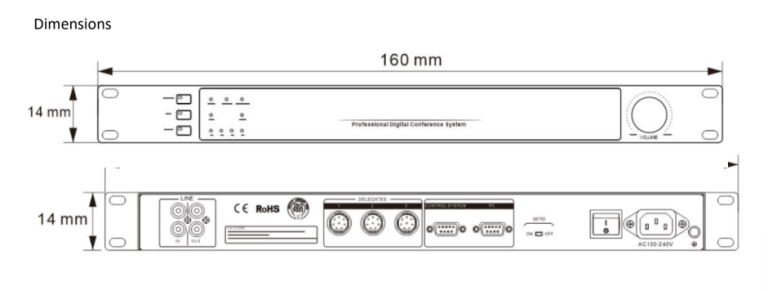
1.Mic Control Unit – VL2380S

  • Mode: Mode setting of 3 options.

    • NORMAL: Default Mode. When the mics reach its max allowed numbers, new mic works only when the previous mic is powered off.

    • FIFO: When the mics reach its max allowed numbers, new mic will work by turning off the previous mic to keep all mics within allowed numbers.

    • VOICE: Voice activation. The mic will automatically be on when participant speaks close to the mic, and mic will be off when participant stops. This model is only for mics that support voice activation.

  • EQ: Frequency shifter that can adjust EQ and help stop mic noise. It’s an optional unit.

  • UNIT: Max allowed numbers for speaking delegates. There is 1/2/4/6 for option.

  • VOLUME.

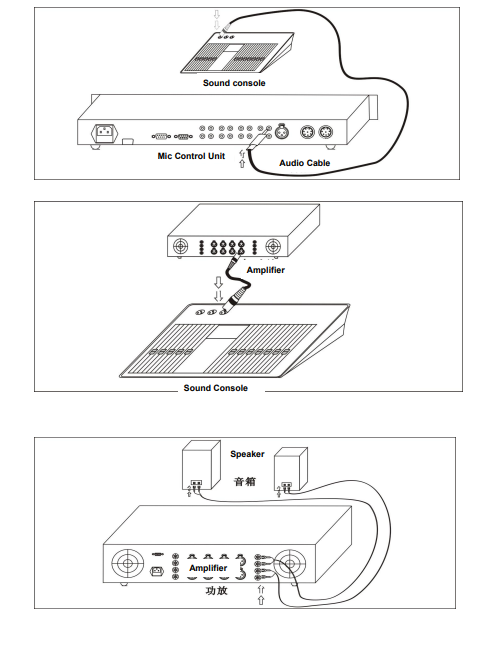
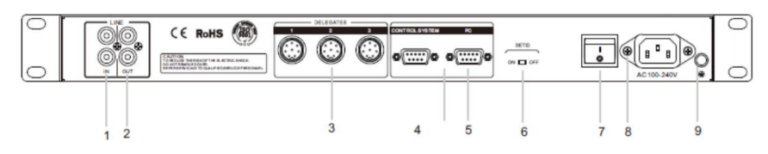
  1. IN: Audio sound input

  2. OUT: Audio sound output

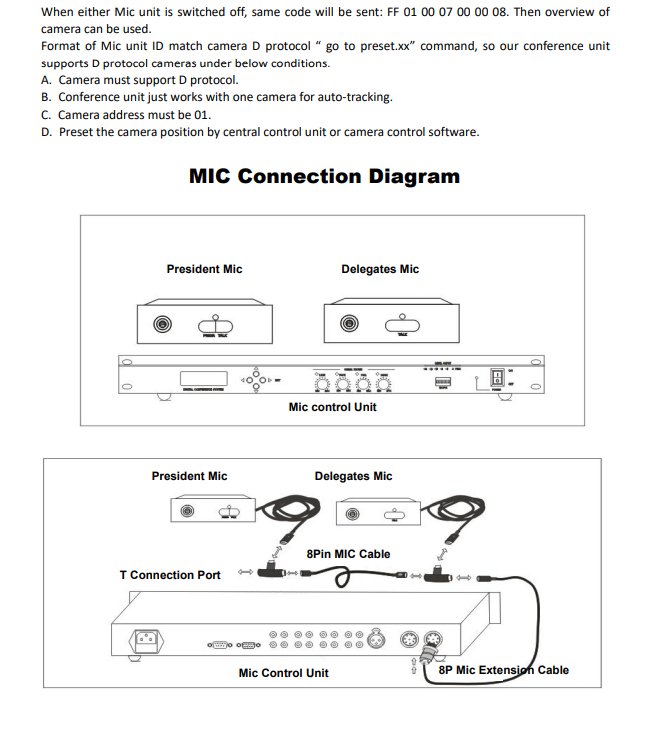
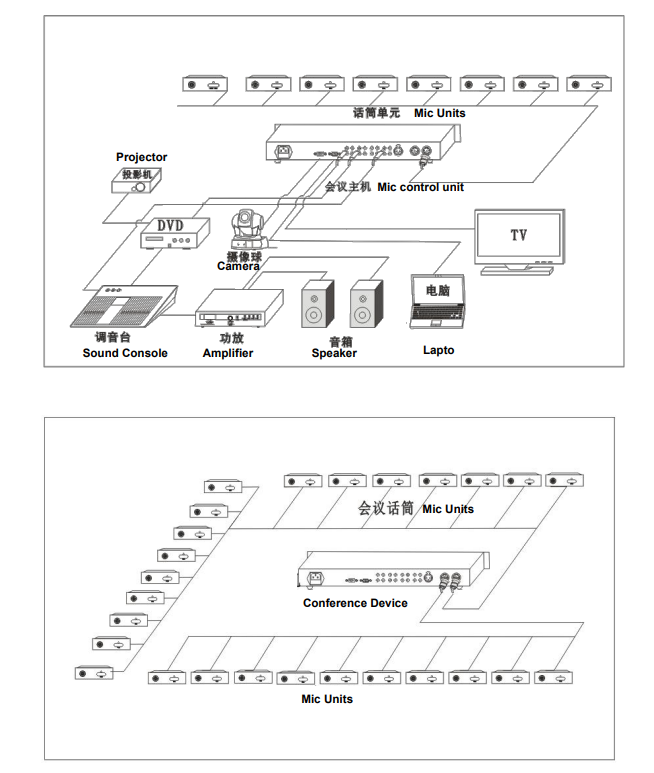
  3. DELEGATES: Port for mic connection. Support 3 channels, max 90 units of mic.

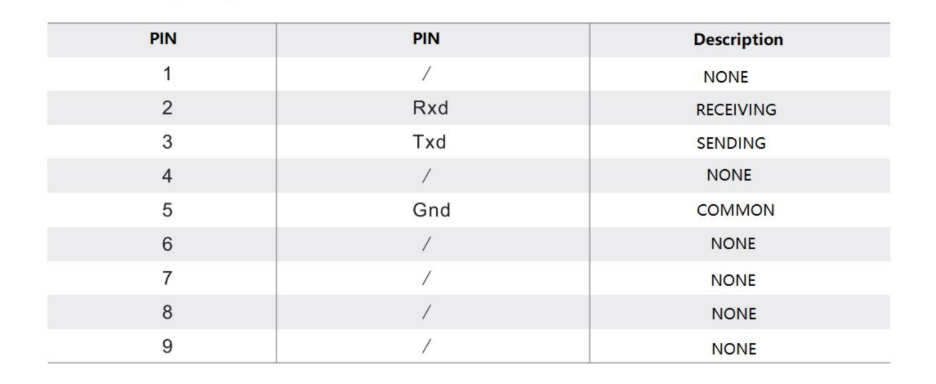
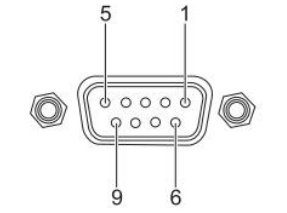
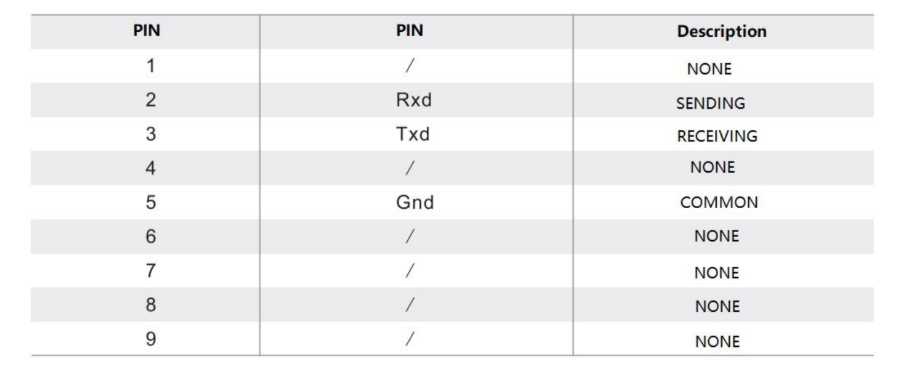
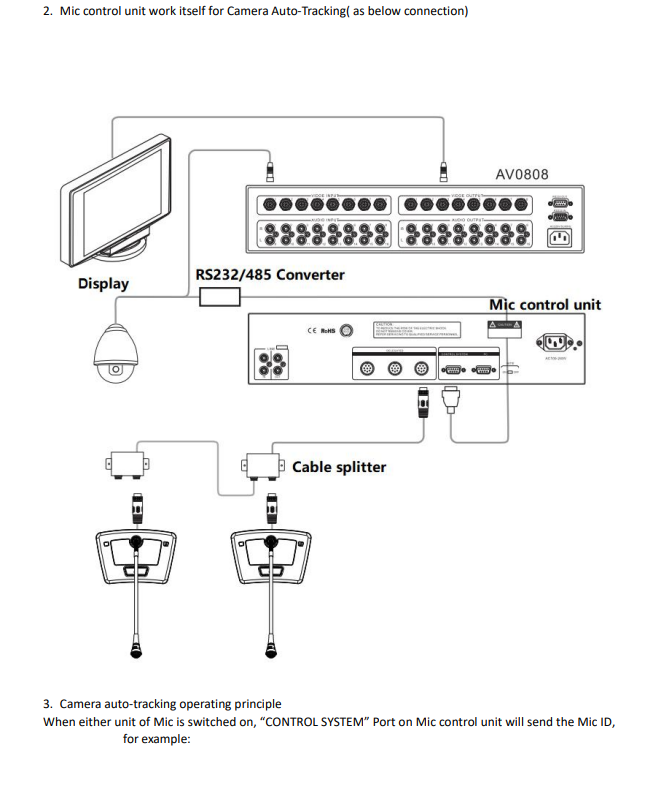
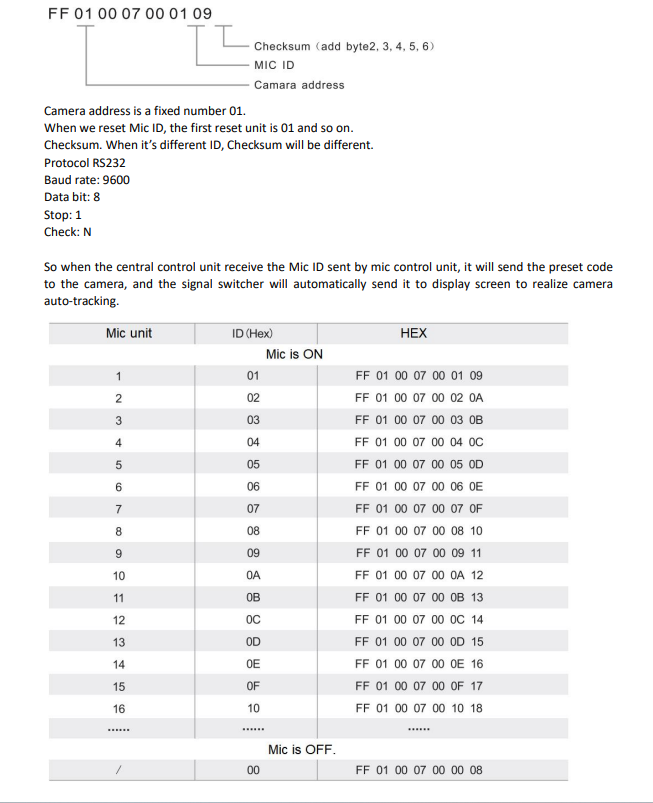
  4. CONTROL SYSTEM: DB9-pin port for central control device

  5. PC: PC connection port

  6. Set IDSET ID: ID setting of mics

  7. Power on/off

  8. Power input: AC100V–240V 50/60Hz

  9. Earthing screw

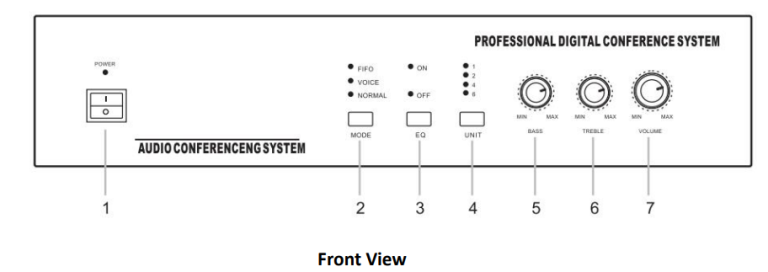
B. Old Style

1. Power: Power on/off

2. Mode: Mode setting of 3 options.

NORMAL: Default Mode. When the mics reach its max allowed numbers, new mic works only when the previous mic is powered off.

FIFO: When the mics reach its max allowed numbers, new mic will work by turning off the previous mic to keep all mics within allowed numbers.

VOICE: Voice activation. The mic will automatically be on when participant speaks close to the mic, and mic will be off when participant stops. This model is only for mics that support voice activation.

3. EQ: Frequency shifter that can adjust EQ and help stop mic noise. It’s an optional unit.

4. UNIT: Max allowed numbers for speaking delegates. There is 1/2/4/6 for option.

5. BASS.

6. TREBLE.

7. VOLUME.

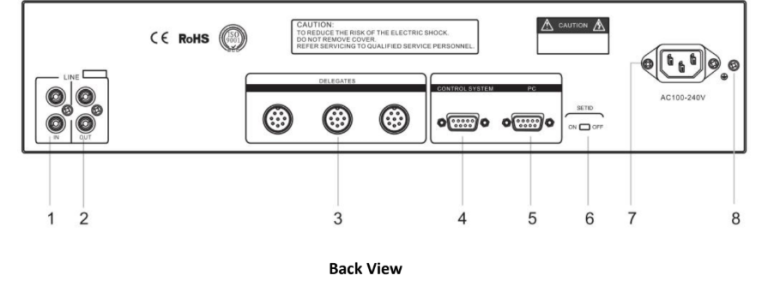
  1. IN: Audio sound input

  2. OUT: Audio sound output

  3. DELEGATES: Port for mic connection. Supports 3 channels, max 90 units of mic.

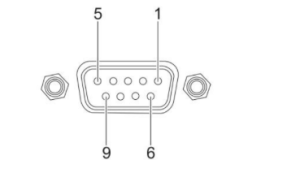
  4. CONTROL SYSTEM: DB9-pin port for central control device.

1.PC. PC CONNECTION PORT.

  • SET ID. ID setting of Mics.
    Each mic should match one ID only. But customer may receive mics of same ID because of different production lots.When there are 2 or more units sharing same ID, they will be recognized to be same unit by mic control unit and will work together. Then we need to reset ID as below steps to avoid this issue.
    A. Connect all mics and mic control unit as a whole system, then power on the mic control unit.
    B. Turn SET ID to be” ON” status, then press Mic ON button one after another, until all mics are switched on with the lamp(next to the mic on/off button) is lighting. Then ID is reset.
    C. All Mic lamp( lamp on mic panel) will be on if all ID are reset.
    D. Turn the back side of SET ID to be” OFF” status,
    E. Re-power on the mic control unit, then all ID reset is finished and ready for use.

  • Power input. AC 100V-240V, 50/60Hz.

  • Earthing screw.

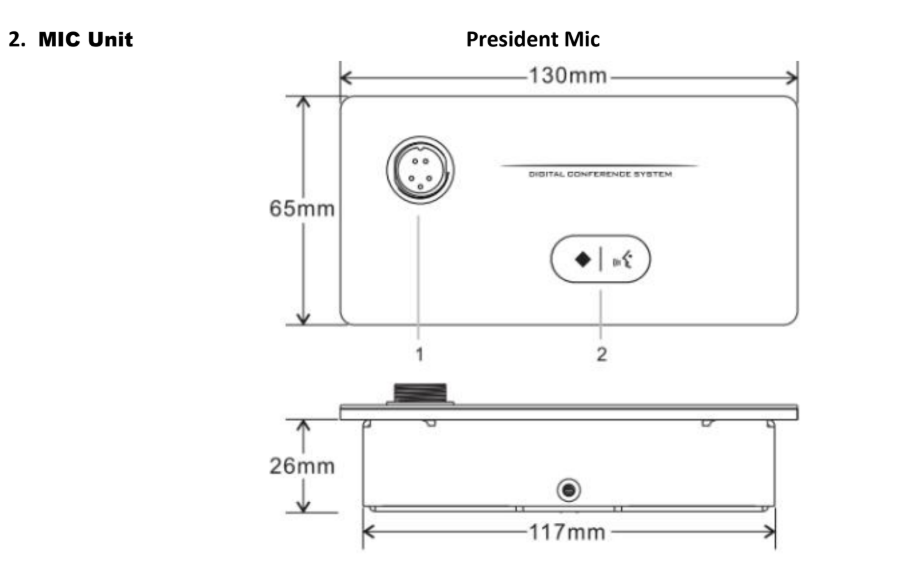
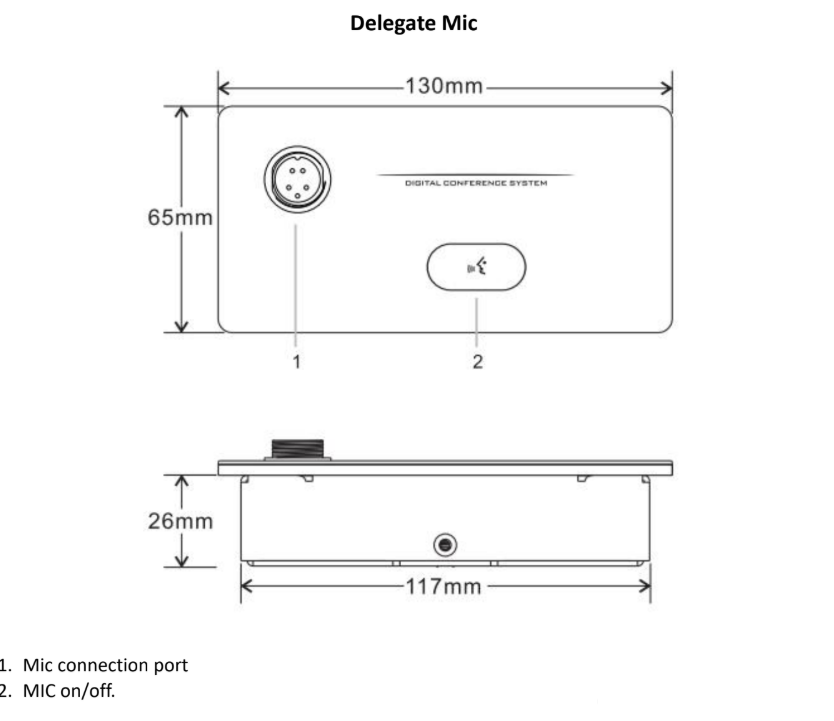
  1. Mic connection port

  2. BREAK/MIC

◆ Break delegate’s mic  📶 Mic on/off.

When the mic is fixed on monitor lift as a whole unit, there isn’t icon on the button as it’s not able to laser the buttons on lift. Please refer to this instruction before use.

President’s Mic has the priority to speak and press ◆ for 2 seconds will stop delegates’ Mic.

Features:

  • President Mic has the power to control the order of the whole meeting.

  • Power to mic is from Mic control unit of DC 24V.

  • President mic can position in anywhere by daisy chain connection.

  • Don’t limit by max allowed numbers for speaking delegates.

  1. Parts

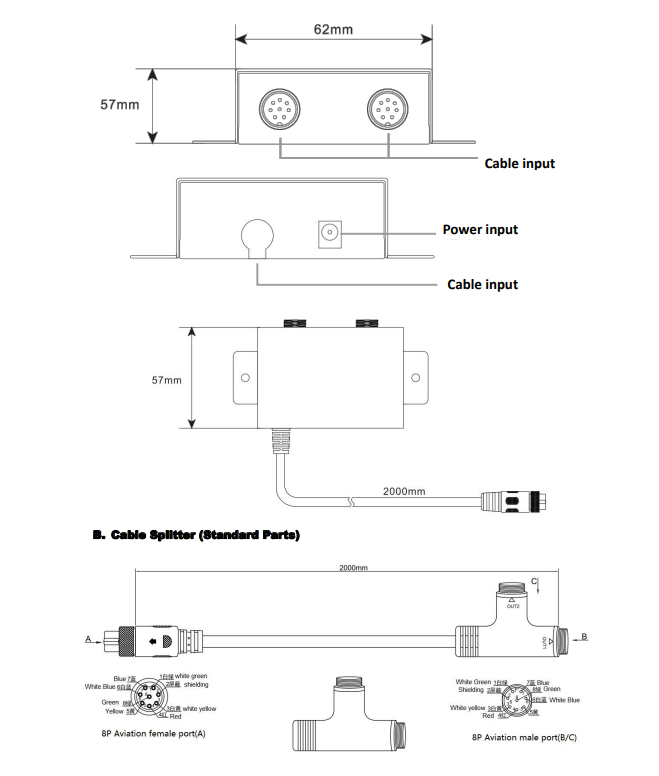
A. Cable Splitter (Option unit)